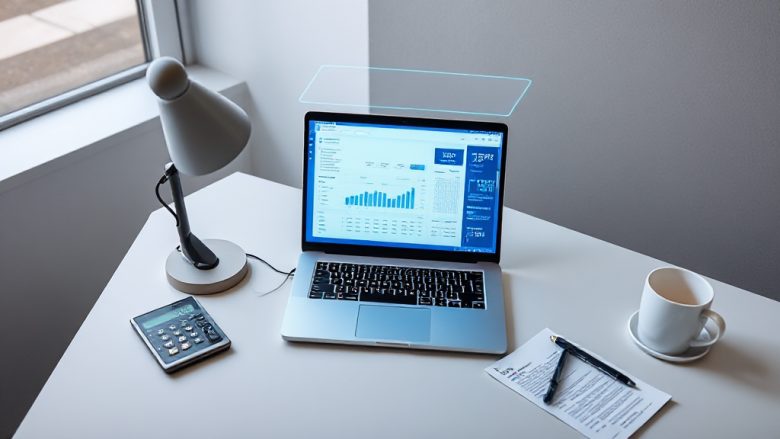
You started freelancing to do the work you’re good at, not to spend Sunday nights reconciling a spreadsheet that never quite adds up. Yet that’s where a lot of solo professionals end up: one tab for invoices, another for expenses, a folder of receipts, and a growing sense of dread every time a tax deadline creeps closer. The right software won’t make you an accountant, but it can cut the monthly admin from a full evening to twenty minutes, and it can stop you from missing deductions you’re entitled to claim.
This is a comparison of the best accounting software for freelancers, judged on the four things that actually matter when you’re a one-person business: invoicing, expense tracking, tax preparation, and price. Nothing here is built for a company with a finance department. Every option is aimed at someone who files a self-assessment, chases late payers, and wants to know roughly what they earned this month without opening a calculator.
How the Main Options Compare
If you strip away the marketing, freelancer accounting tools fall into three rough groups. There are the all-rounders that combine invoicing, banking feeds and tax reports in one place. There are the lean invoicing-first tools that stay cheap because they do less. And there are the spreadsheet-adjacent apps that are really expense catchers with a tax summary bolted on.
On price, the spread is wide. Entry plans typically sit somewhere between a few pounds a month and the cost of a couple of takeaway coffees, rising to around twenty to thirty pounds monthly once you add payroll, multiple currencies or accountant access. On features, the differences are more about fit than quality. An all-rounder suits a freelancer with steady clients, a business bank account and VAT to think about. An invoicing-first tool suits someone who mostly needs to send clean invoices and get paid. An expense catcher suits a freelancer who already has an accountant doing the heavy lifting and just needs to hand over tidy records.
The trap is paying for an enterprise-grade suite you’ll never use. If you invoice five clients a month and have one bank account, you don’t need inventory, purchase orders or project profitability dashboards. You need invoices that look professional, expenses that get logged automatically, and a tax report you can hand to your accountant without embarrassment.
All-Rounders: Best for Freelancers Who Want One Place for Everything
These tools connect to your bank, pull in transactions, and let you categorise spending with a few clicks. Invoicing is built in, and most generate a profit-and-loss report and a tax summary at the push of a button. For a freelancer juggling several clients and a mix of card payments, bank transfers and the occasional cash job, that automation is the whole point. You spend less time typing numbers into cells and more time noticing that a client is two months late.
The strengths are obvious. Bank feeds mean you’re not manually entering every coffee and train fare. Recurring invoices handle retainer clients without you remembering to send them. VAT and sales tax calculations are usually handled correctly, which matters if you’re registered. And because everything lives in one system, your year-end figures are already there when you need them.
The weaknesses are worth knowing before you commit. Bank feeds occasionally duplicate a transaction or miss one, so you still need to glance at the list rather than trusting it blindly. The cheaper tiers often limit how many bank accounts or invoices you can have, which is fine until you open a second business account. And the learning curve is real: the first month takes longer than a spreadsheet because you’re setting up categories and rules. After that, it’s faster. Some freelancers also find the dashboards noisy, full of charts they’ll never read.
Who should pick one? Anyone with more than a handful of clients, regular expenses, and a genuine dislike of data entry. If you’ve ever spent an hour hunting for a missing receipt, an all-rounder earns its fee quickly.
Invoicing-First Tools: Best for Freelancers Who Just Want to Get Paid
Some freelancers don’t want a full accounting system. They want to send an invoice that looks good, accept card payments, and see who owes them money. Invoicing-first tools do exactly that, usually for less than the price of a monthly streaming subscription, and they’re refreshingly quick to set up.
The strengths here are speed and clarity. You can create a branded invoice in minutes, add a payment link, and set automatic reminders for late payers. That last feature alone is worth the fee if you’ve ever felt awkward chasing a client. Many of these tools also track expenses at a basic level, so you get a simple profit figure without wading through ledgers.
The weaknesses show up at tax time. Expense tracking is usually thinner, bank connections may be limited or absent, and the reports are basic. If you’re VAT-registered or have anything complicated going on, you’ll likely outgrow the tool within a year. Some also charge a percentage on card payments, which is normal but worth factoring in if you invoice large amounts.
Who should pick one? Freelancers with a small number of clients, simple expenses, and no VAT registration. If your main pain is late payment rather than bookkeeping, this category solves it for very little money.
Expense Catchers and Tax Prep: Best for Freelancers With an Accountant
A third group sits between accounting software and a shoebox of receipts. These apps are built to capture spending, photograph receipts, and categorise everything so that your accountant gets clean records at year end. Some are free at a basic level, with paid tiers for more features.
The strengths are low cost and low effort. You snap a photo of a receipt, the app reads the amount and date, and you file it. Mileage tracking is often included, which is a quiet win if you drive to client meetings. Come January, you export a summary and your accountant does the rest. For freelancers who already pay someone to handle their tax return, this is often the most sensible setup.
The weaknesses are the flip side of that simplicity. You won’t get professional invoicing, so you’ll need a separate tool for that. You won’t get a full picture of your business finances, just expenses. And if your accountant charges by the hour, handing over messy categorised data can cost more than a proper accounting subscription would have.
Who should pick one? Freelancers with an accountant already in place, simple income, and a preference for keeping costs minimal. It’s also a good starting point if you’re not ready to commit to a monthly subscription.
How to Choose Without Overthinking It
Start with your tax situation. If you’re registered for VAT or sales tax, you need a tool that calculates it properly and produces the right reports. If you’re not, you can safely ignore half the features on the pricier plans.
Then count your clients and bank accounts. One or two clients and one account? An invoicing-first tool will do. Five or more clients, multiple income streams, or a business account plus a personal one you occasionally use for work? Pay for the all-rounder. The extra cost is small compared to the hours you’ll save.
Next, think about your accountant. Ask what format they prefer. Some want a spreadsheet export, some want access to your software, and some will happily work from whatever you give them. Choosing a tool your accountant already knows saves everyone time and usually reduces your bill.
Finally, use the free trials properly. Don’t just click around. Enter a real invoice, connect your bank, and categorise a week of spending. If the setup feels like a chore after thirty minutes, it’ll feel worse in month three. The best accounting software for freelancers is the one you’ll actually open every week, not the one with the longest feature list.
Pick the tool that matches the way you already work, set aside one evening to get it configured, and then let it run. The hours you get back each month are the real return on the subscription.